By Michael, former real estate photographer in St. Augustine, FL.
Photo Enhancement vs Virtual Staging: Which One You Need
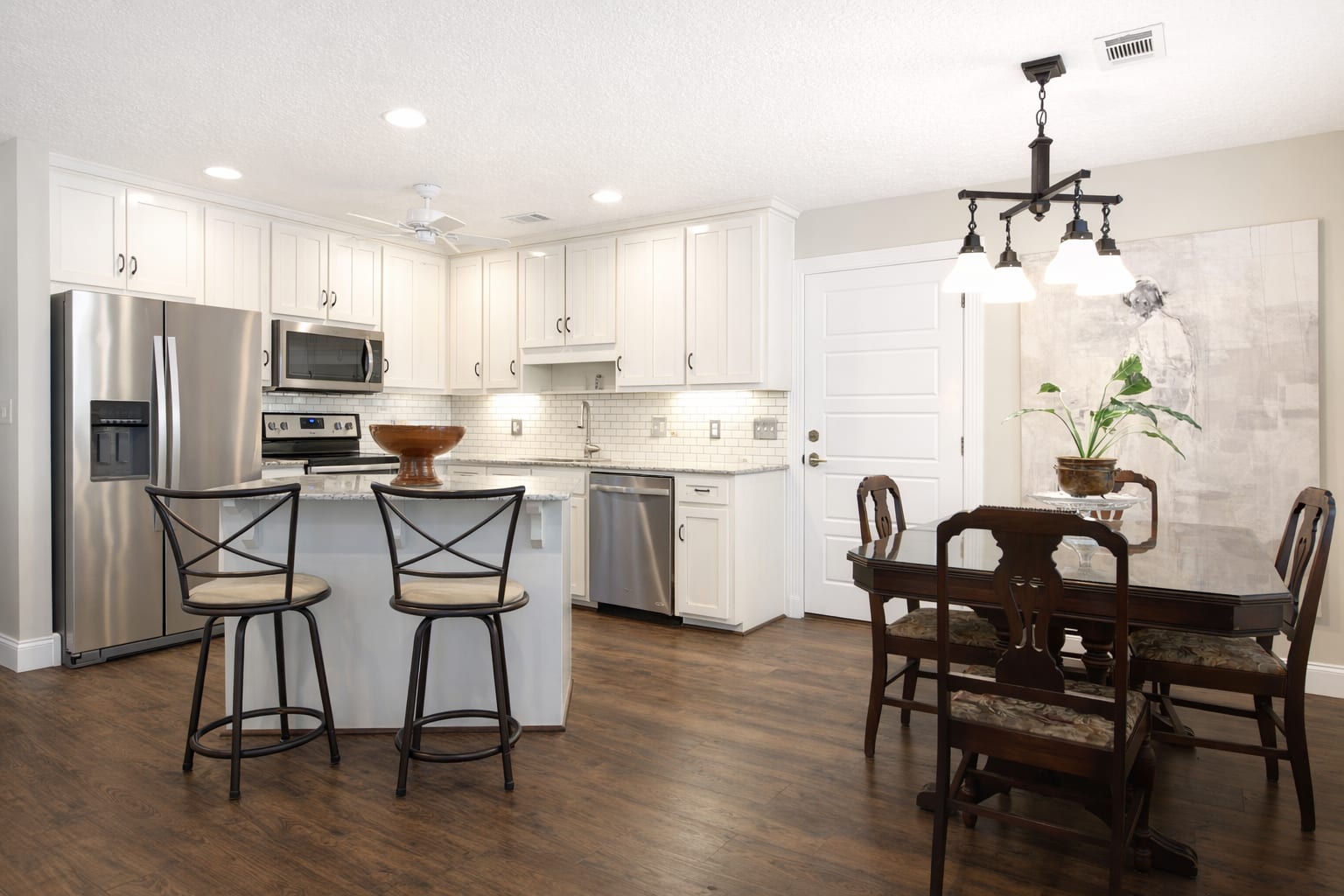
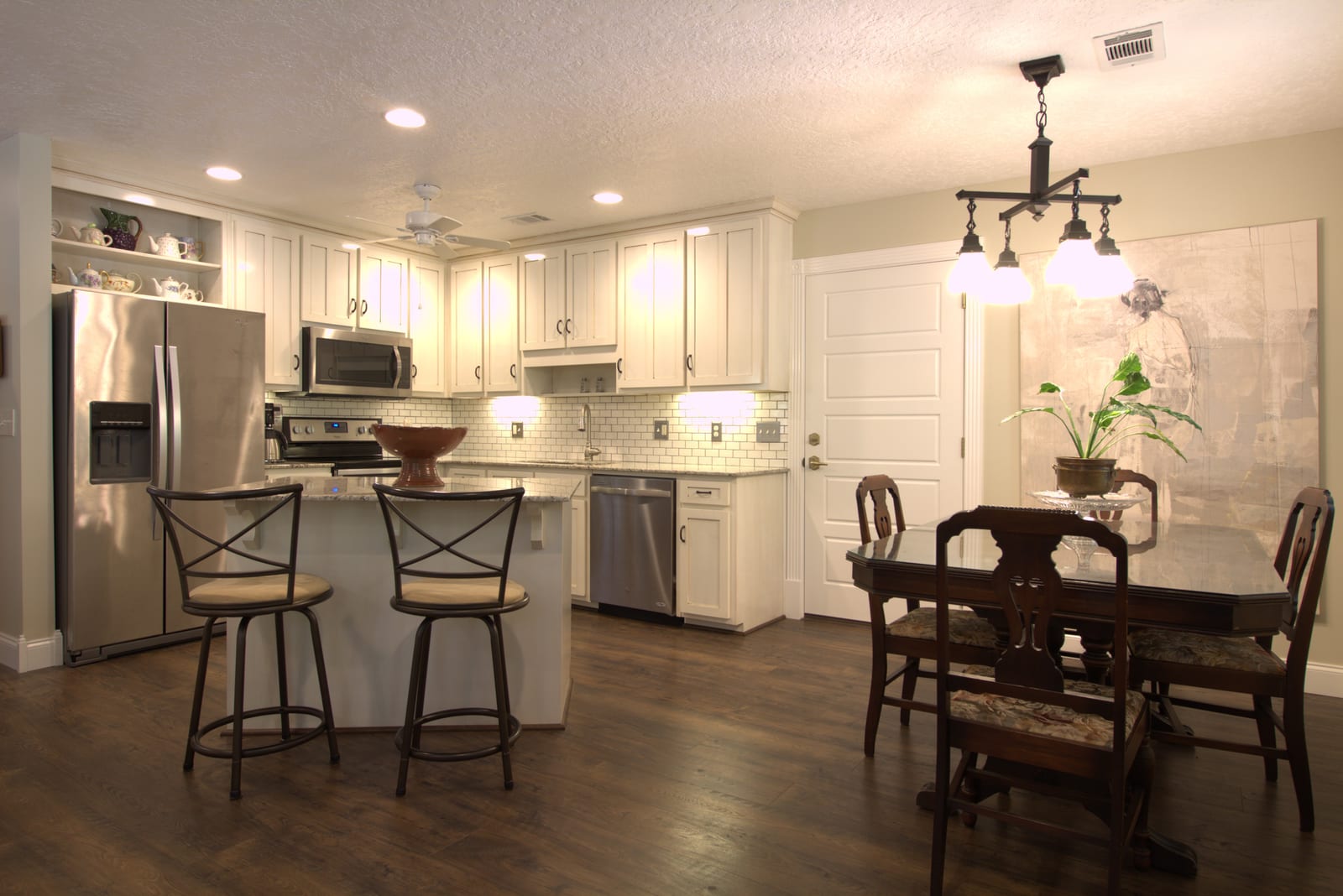
Two of the most common photo questions on a new listing: should I just have the photos enhanced, or do I need to virtually stage the rooms? Photo enhancement vs virtual staging is a real decision agents make all the time. They sound like the same kind of help, but they fix different things. Photo enhancement is for the photo. Virtual staging is for the room. The right choice depends on whether the listing's furniture is the problem, or whether the photo is. At BiziEdit, both are on the same upload.
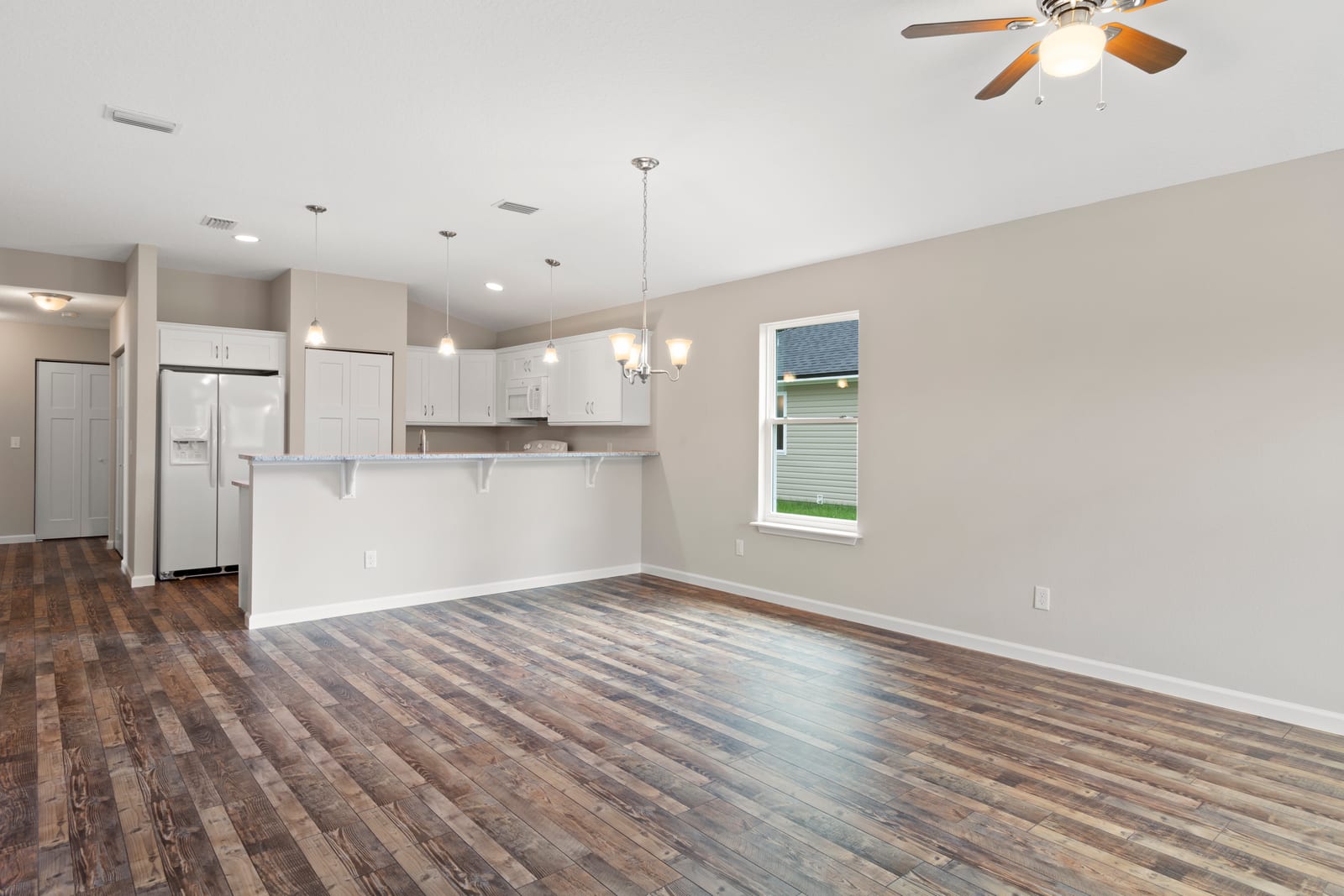 Before
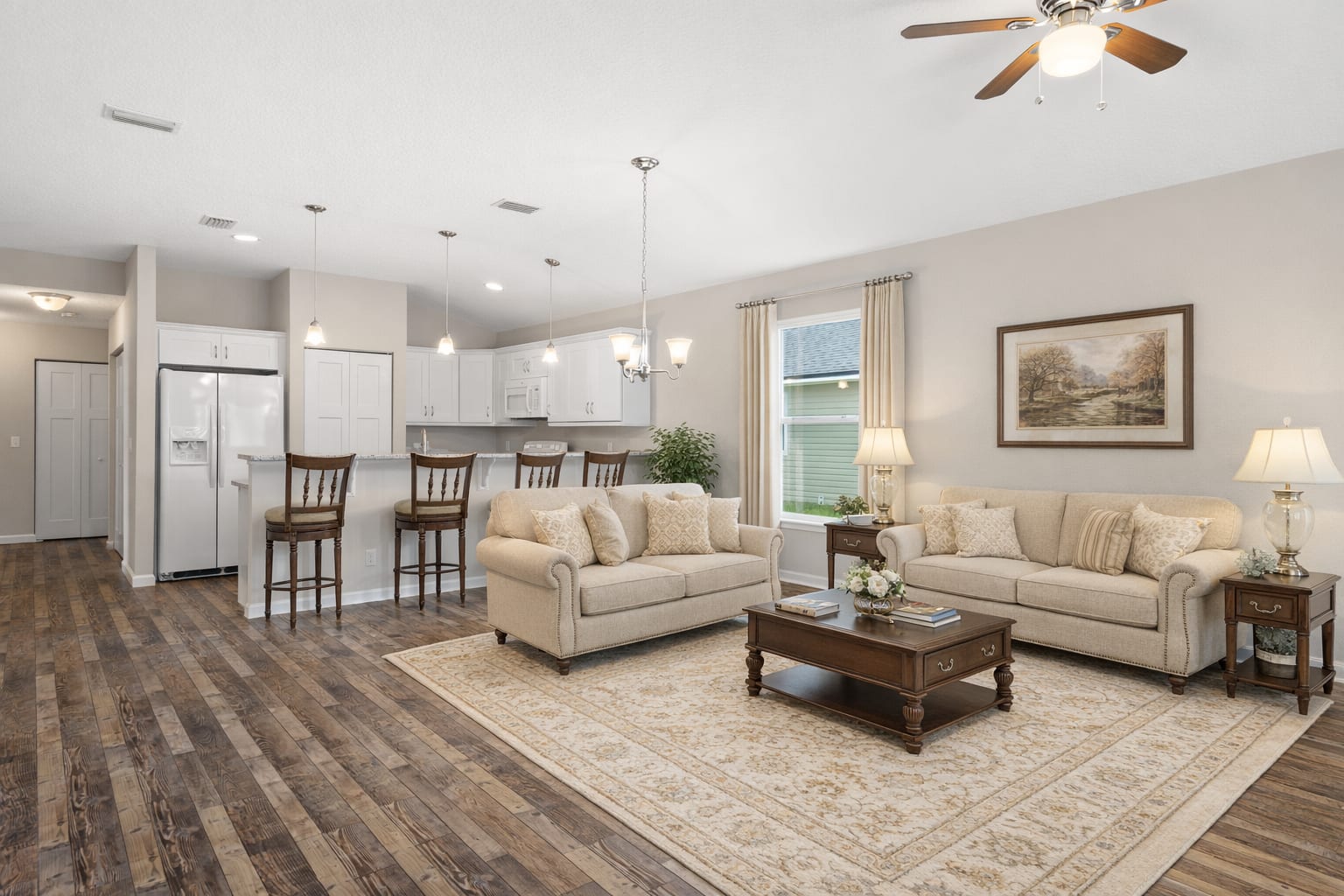 After
AfterWhat photo enhancement does
Photo enhancement is for photos that came out fine but not great. Phones often produce listing shots that are too dim, slightly off-color, or have one bright window washing out the room. The room is fine. The photo is the problem. Enhancement keeps every piece of furniture, every wall color, every fixture exactly where it is, and just fixes the photography: brightens the room, corrects the color, restores blown-out window views, evens out shadows. The hero pair on this page shows enhancement on a kitchen: the cabinets, appliances, and dining set are the same in both shots; the photo on the right is just better photographed.
What virtual staging does
Virtual staging is for rooms that are empty or whose furniture is hurting the listing. The photo is fine. The room is the problem. Staging replaces the empty room or the dated furniture with new pieces in a chosen style, while keeping the architecture, lighting, and angles of the original photo. The gallery pair below shows virtual staging on an empty open-plan living room: the same room, but furnished. Most listings use staging on one or two rooms (typically the living room, the primary bedroom, or a dining area) and leave the rest as they are.
How to pick
The photo enhancement vs virtual staging choice comes down to one question: is the room the problem, or is the photo the problem? Use enhancement when the room is already nicely furnished and the photo just came out badly. Use staging when the room is empty, or when the furniture is dated, mismatched, or working against the listing. A single listing usually mixes both: enhancement on most photos because the rooms photograph fine with a fix, staging on the one or two empty or awkward rooms. The two services run on the same upload and are picked per photo, so you can flag exactly which photos get which treatment.
Pricing
Enhancement is $0.79 per image. Staging is $2.79 per image. The first 10 enhancements are free with the trial; the first virtual staging image is also free with the trial. After the trial, both stay flat per-image with no subscription. See per-image pricing for the full breakdown, start with 10 free enhancements, or browse virtual staging for the staging-only explainer.
More from BiziEdit
How to Upscale Real Estate Photos to 24 MP for Print
Upscale real estate photos to 24 MP, about 6000 px, sharp enough for print. BiziEdit enhances and upscales listing photos at $0.99 per image, no subscription.
How to Fix Mixed Lighting in Real Estate Listing Photos
Fix mixed lighting in real estate listing photos with color optimization. BiziEdit unifies split white balance from tungsten and daylight for $0.79 per image.
Fix Hazy Aerial Photos on Real Estate Drone Listings
Fix hazy aerial photos on real estate drone listings. Clear the haze, drop the lens distortion, recover color. $0.79 per image. First ten enhancements free.
Twilight Conversion vs Sky Replacement for Listings
Twilight conversion vs sky replacement: one swaps daytime for dusk, the other only swaps clouds. Different services, different prices on a BiziEdit order.
Fix Flat Overcast Skies in Real Estate Listing Photos
Fix flat overcast skies in exterior listing photos at $0.79 per image. Sky enhancement is part of every BiziEdit photo enhancement. First ten free.
Fix Yellow Color Cast in Real Estate Listing Photos
Fix yellow color cast in listing photos at $0.79 per image. Color optimization is part of every BiziEdit photo enhancement. First ten enhancements free.
Pricing
$0.79 per image. First 10 photos free. No subscription, no credit card to start.
Try 10 photos freeFAQ
- Can a single photo get both enhancement and staging?
- Yes, in a regular project. You pay $0.79 for the enhanced version and $2.79 for the staged version of the same photo, and both files are delivered. If you want only the staged version, the Virtual Staging flow charges $2.79 per image and delivers staging only.
- Will enhancement fix an empty room?
- No. Enhancement makes a photo look more like a real estate listing photo (better lighting, color, exposure), but the room stays empty. An empty room feels small and cold to buyers regardless of how well it is photographed, which is why virtual staging exists for empty rooms. Enhancement and staging are different services for different problems.
- If a room is already furnished but the furniture is dated, do I enhance or stage?
- Stage. Enhancement keeps the existing furniture and just fixes the photo, so dated or mismatched pieces stay in the shot. Staging replaces them with style-coherent pieces. The decision is whether the existing furniture helps or hurts the listing: if it hurts, stage.
- Can I try both before paying?
- Yes. The first 10 enhancements are free with the trial, and the first virtual staging image is free as well. That is enough to do one or two enhanced exterior shots and one staged living room without paying. Most agents start with the trial on one listing to see what each service produces on their own photos.