By Michael, former real estate photographer in St. Augustine, FL.
Fix Yellow Color Cast in Real Estate Listing Photos
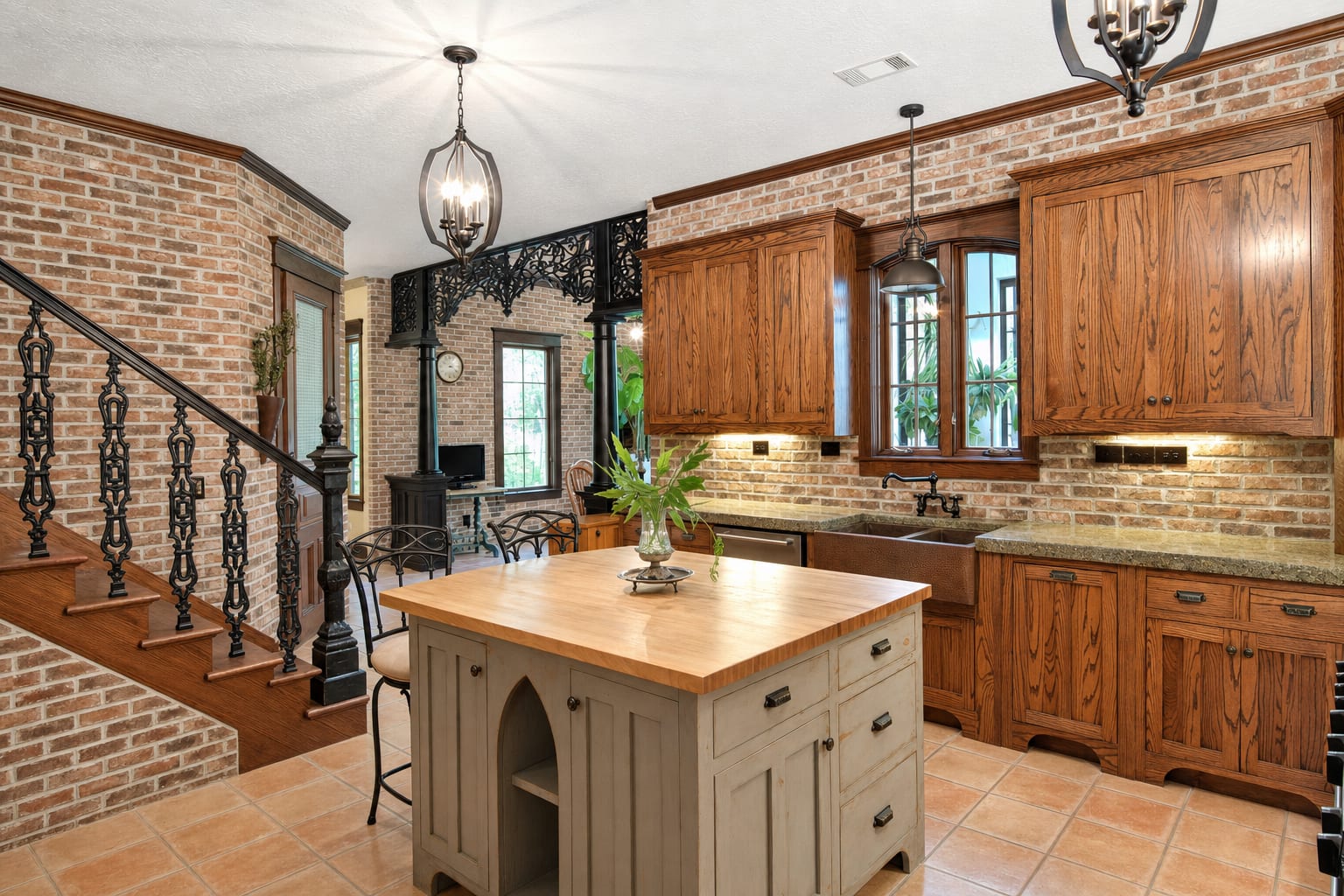
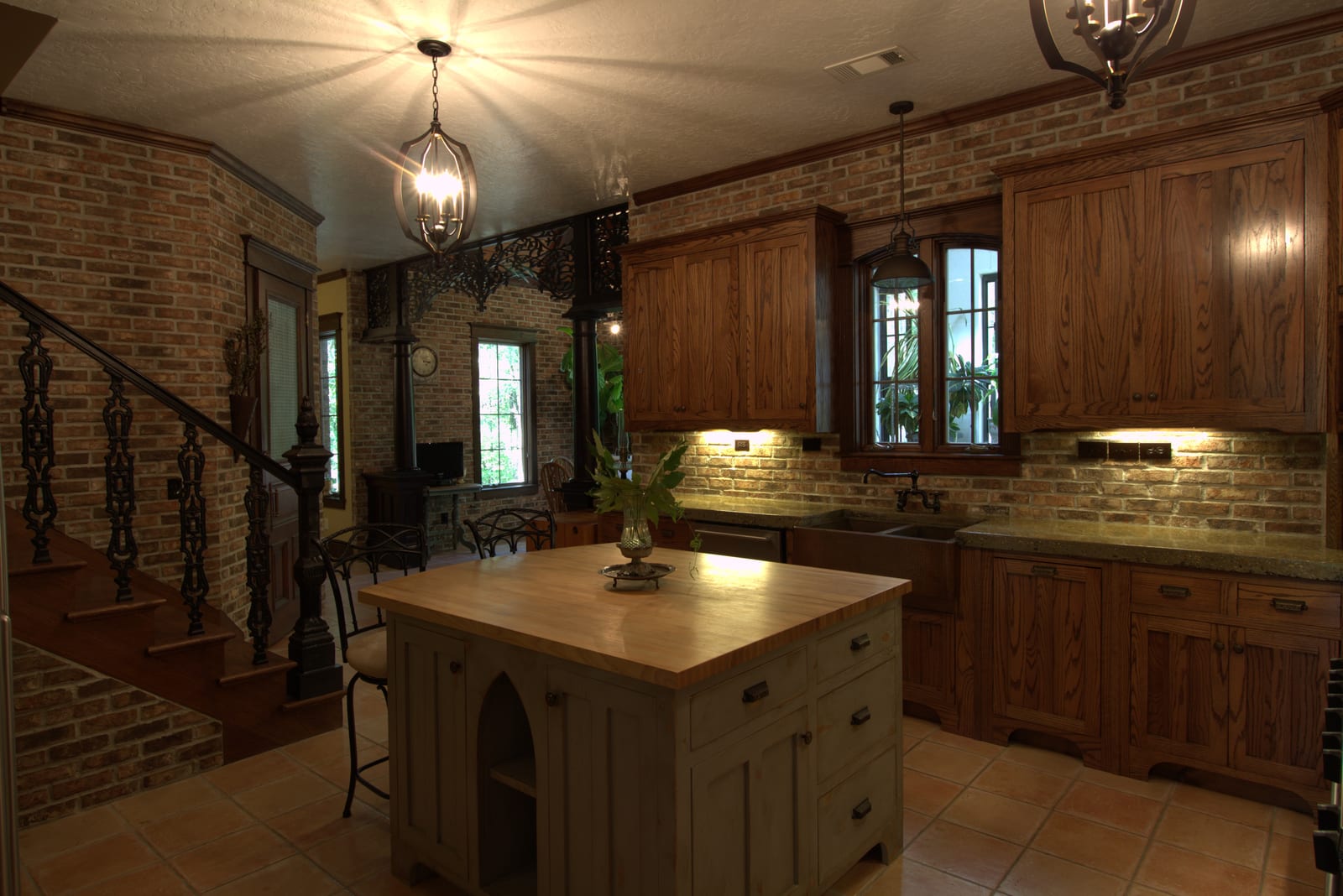
You shoot a kitchen at six in the evening with the overhead lights on, and everything comes out orange. The wood looks like it has been varnished twice, the white cabinets look beige, and the buyer scrolling the listing thinks the home is older than it is. The technical name for this is a yellow color cast, and it is one of the most common fixable problems in phone-shot real estate listing photos. Color optimization is part of every photo enhancement at BiziEdit, no separate fee.
Why interiors come out yellow
Most indoor light is not white. Tungsten and incandescent bulbs throw a strong orange-yellow tint. Older LED fixtures and warm-white retrofit bulbs do the same thing in a milder way. A phone camera tries to balance the color automatically, but when the bulbs are warm and there is little natural light to anchor against, the auto white balance gives up and lets the orange through. The wall paint looks darker than it is, white trim turns cream, and stainless appliances pick up a tan film they do not have in person.
It gets worse when there is also a window in the frame. Daylight coming through that window is much cooler than the indoor bulbs, so the same photo ends up with two different color temperatures: orange near the lamps, blue near the glass. The phone cannot decide which one to neutralize, so it splits the difference and both look off.
What the fix does
Color optimization on a BiziEdit enhancement pulls the orange cast back toward neutral while keeping the warmth that makes the room look inviting. Walls land at their real color. White trim returns to white. Wood floors come back to their actual species instead of a muddy brown. If there is mixed light in the frame, the indoor and outdoor halves of the photo end up closer in temperature so the eye stops fighting the photo.
This is part of base enhancement, not a separate service. Every photo run through BiziEdit gets color, lighting, and contrast handled together. You do not request it separately and there is no add-on charge for it.
Pricing
Photo enhancement is $0.79 per image. The first ten enhancements are free with the trial. If your listing also has bright windows that wash out the view, see fix blown-out windows in listing photos for the composite add-on. Per-image rates are listed on pricing.
More from BiziEdit
How to Upscale Real Estate Photos to 24 MP for Print
Upscale real estate photos to 24 MP, about 6000 px, sharp enough for print. BiziEdit enhances and upscales listing photos at $0.99 per image, no subscription.
How to Fix Mixed Lighting in Real Estate Listing Photos
Fix mixed lighting in real estate listing photos with color optimization. BiziEdit unifies split white balance from tungsten and daylight for $0.79 per image.
Fix Hazy Aerial Photos on Real Estate Drone Listings
Fix hazy aerial photos on real estate drone listings. Clear the haze, drop the lens distortion, recover color. $0.79 per image. First ten enhancements free.
Twilight Conversion vs Sky Replacement for Listings
Twilight conversion vs sky replacement: one swaps daytime for dusk, the other only swaps clouds. Different services, different prices on a BiziEdit order.
Fix Flat Overcast Skies in Real Estate Listing Photos
Fix flat overcast skies in exterior listing photos at $0.79 per image. Sky enhancement is part of every BiziEdit photo enhancement. First ten free.
Twilight Conversion for Real Estate Listing Photos
Twilight conversion turns a daytime listing photo into a twilight shot in minutes. No reshoot. At BiziEdit, $0.79 per twilight on top of the $0.79 enhancement.
Pricing
$0.79 per image. First 10 photos free. No subscription, no credit card to start.
Try 10 photos freeFAQ
- Do I need to change my phone's white balance setting before shooting?
- No. Shoot the room normally with auto white balance and upload what your phone takes. The point of running the photo through enhancement is to get color right after the fact without you spending time on it. If you have a manual mode you trust, fine, but you do not have to.
- Will the fix wash out the warmth of the room?
- No. Color optimization neutralizes the orange cast, not the warmth itself. Wood floors still look like wood, warm paint still looks warm, lamps still glow. The point is that white walls return to white and the photo stops looking dirty, not that the room turns clinical or cold.
- What if my photo has both yellow indoor light and blue daylight?
- Mixed light is the harder case and BiziEdit handles it. The enhancement pulls the indoor side closer to neutral and lifts the window-side shadows so the two halves of the photo do not fight each other. The result is one balanced room with the view visible through the window.